
The Betx app brings the full lobby to an Android phone and keeps the same account, wallet and bonuses as the website. This guide covers the download, the install permission and the update routine that keeps the build current.
Table of Contents
Betx App Facts
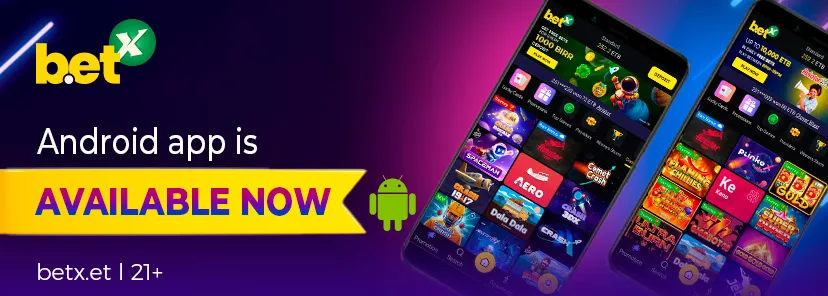
The Betx app is an Android build distributed as an APK from the operator's site. There is no iOS version in the App Store, and iPhone owners use the mobile browser instead.
| Platform | Android |
| File type | APK, installed outside Play Store |
| iOS | Not available; use the browser version |
| Account | Same login as the website |
| Currency | Ethiopian birr |
| Updates | Manual download when a new version is published |
| Minimum age | 21+ |
The download page is the only official source. Files shared through messaging groups can be modified, and a tampered build can read your login details.
Betx App Download APK and Installation
Betx app download starts on the official site, not on a third-party store. Open the site, find the app section and choose the Android file.
- Open the official Betx site and go to the app or download area.
- Allow installs from your browser when Android shows the security prompt.
- Download the APK and open it from the notification or the file manager.
- Confirm the install, then open the app and sign in with your existing details.
- Turn the unknown-source permission off again after installation.
Betx app download for Android usually takes under a minute on a 4G connection. The file is small because the games load from the server rather than the device.
If the install is blocked, check free storage and Android version first. A device that is more than a few years behind may refuse the package.
Before you install
Uninstall any older copy from a previous phone before moving to a new device. Two active installs on one account can trigger a security check.
Check that the phone has enough free storage for the file and its cache. A full device can fail midway and leave a broken package.
Betx App Download for Android Latest Version
Betx app download for android latest version comes from the same page as the first install. When an update is published, the site usually shows a new file and a version note.
There is no automatic store update, so the app cannot refresh itself. Check the download page every few weeks if you use the app daily.
- A new version is worth installing when the release notes mention cashier fixes.
- Do not install a build from a forum, even if the filename looks official.
- Keep the old APK out of shared folders after the update.
If the app opens to a blank screen after an update, clear the app cache first. If that fails, uninstall and install the current file again.
Your balance sits on the server, so reinstalling does not remove funds or open bets. Sign in with the same number and the wallet returns as it was.
What the Betx App Offers
The Betx app carries the full lobby rather than a cut-down version. Sports, live betting, casino categories and the cashier are all reachable from the bottom navigation.
Push alerts can notify you about promotions and bet results. They are useful for cash-out decisions and noisy if you follow many markets, so tune them in the settings.
| Area | Purpose |
|---|---|
| Sports | Pre-match and live markets across football and other sports |
| Casino | Slots, crash games and jackpot categories |
| Live casino | Dealer tables with published limits |
| Cashier | Deposits, withdrawals and transaction history |
| Account | Profile, verification and responsible gaming tools |
Betx Ethiopia mobile users often keep the app for live betting and the browser for account checks. Both routes share one session rule, so signing out of one does not always end the other.
Using Betx on an iPhone
There is no Betx iOS app. The operator does not publish a build for the App Store, so iPhone owners play through Safari or another browser.
The browser version is not a reduced product. It includes the cashier, the betting slip and the casino lobby, and it updates without an install step.
- Open the Betx site in Safari.
- Tap the share icon and choose Add to Home Screen.
- Name the shortcut, then open it like an app.
- Sign in once and allow the browser to remember the site, not the password.
Add the shortcut for speed, but keep the password in a manager rather than the browser. A shared phone is the usual way an account is compromised.
Speed, Data Use and Stability
Game artwork is the heaviest part of the app, and the lobby caches thumbnails after the first visit. That is why the second launch feels faster than the first.
Live betting is the most sensitive feature. A stable connection matters more than raw speed, because a dropped packet can delay a price update by seconds.
- Prefer Wi-Fi for long casino sessions and mobile data for quick bets.
- Close background apps if the phone heats up during live markets.
- Keep at least a few hundred megabytes free for cache and updates.
If the app lags, clear the cache before you clear data. Clearing data signs you out and removes saved preferences.
Using the app on a weak signal
Switch to the browser when a connection is unstable. The browser retries a request more gracefully than the app after a dropped session.
Avoid placing a live bet while the signal icon is changing. Wait for a stable bar, then confirm the price you actually see.
Download the APK over Wi-Fi when you can. A dropped mobile connection during the file transfer leaves a partial package that Android refuses to install.
Keep the file until the next update is installed and tested. If the new build fails to open, the previous version is a quick rollback.
Set the app to update only over Wi-Fi in the phone settings. That prevents a background download from consuming a data bundle.
If the app cannot reach the lobby, check the system date first. A wrong date breaks secure connections and looks like a server outage.
Betx App FAQ
Is the Betx app on Google Play?
No. The Android build is distributed as an APK from the operator's site, so Google Play does not manage the install or the updates.
Does the app work on iPhone?
There is no iOS app. iPhone owners use the mobile browser and can add a home-screen shortcut for faster access.
Will I lose my balance if I reinstall?
No. Balances and open bets sit on the operator's server. Sign in with the same number and the wallet returns unchanged.
How do I update the Betx app?
Download the current file from the official page and install it over the old version. There is no automatic store update.
Why is the install blocked?
Android blocks unknown sources by default. Allow the permission for your browser, install the file, then turn the permission off again.